
Every Vertiv service report will require the same information at the top of the document. These documents are important not only for records keeping but also required for billing your time to Vertiv! Lets start at the top!
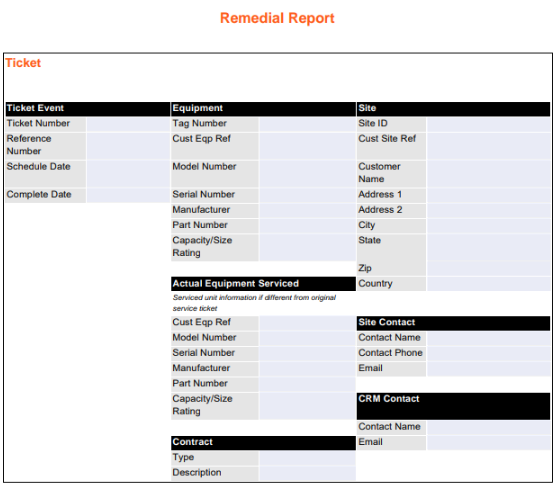
The ticket event, equipment, site and site contact sections are required. Actual equipment, contract and CRM contact may not be filled out depending on situation. Discuss with your manager to determine if these are required for your report.
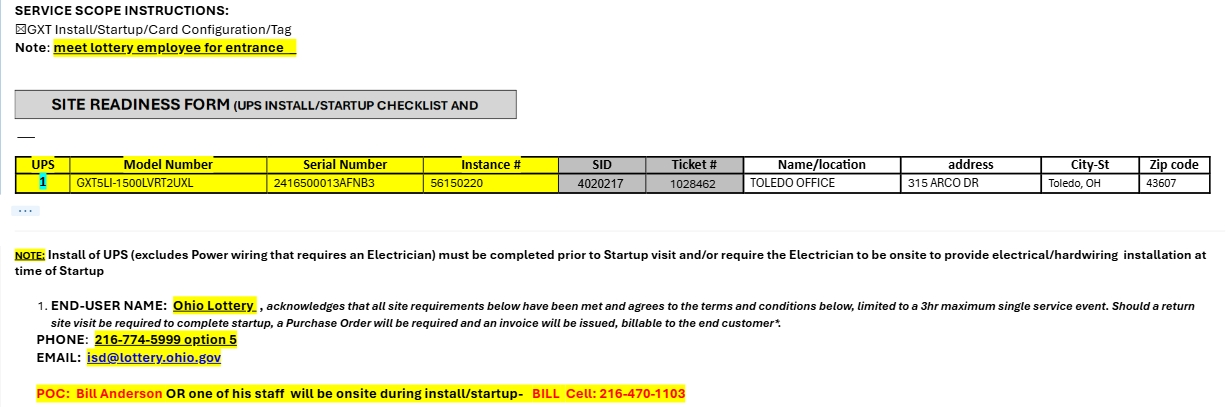
Below is a common request you will see from Vertiv and how to fill out the report. All of this information will be provided in the work order notes. Sometimes some unique identifiers will be missing in the request, all of these can be found on the physical device as well. Always take pictures of ID tags and installed equipment, these can be stored in APS - Customer Documents on SharePoint.
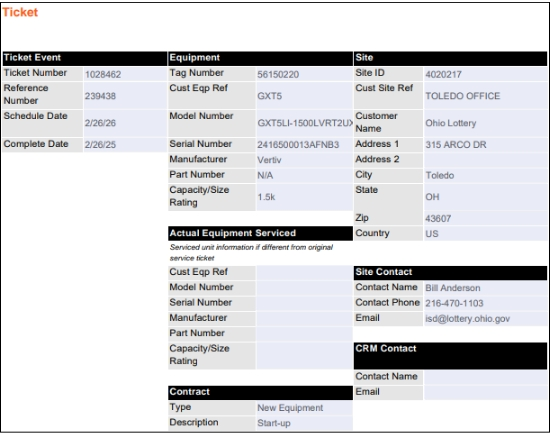
With the information provided, the document should look like this:
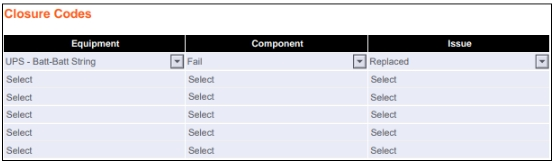
Below this is the Closure Codes section, use the drop-down menu to find what best suits the situation, in this case a battery replacement, would look like this:
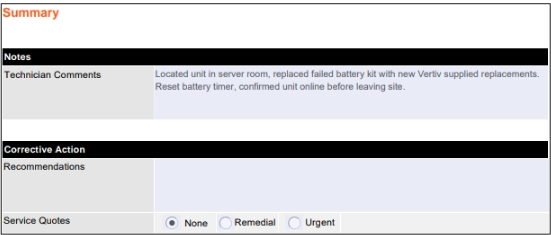
Finally, is the Summary section, use this to give a brief description of work completed any relevant notes from your visit. If no corrective actions required, you can leave that section blank. Below is an example for the GXT replacement job we have been following:
Congratulations! You have completed a Vertiv Remedial report, this will be used frequently, more than any other Vertiv report format. Once this is complete upload the document to SharePoint and share the link with your manager letting them know the report is complete.